

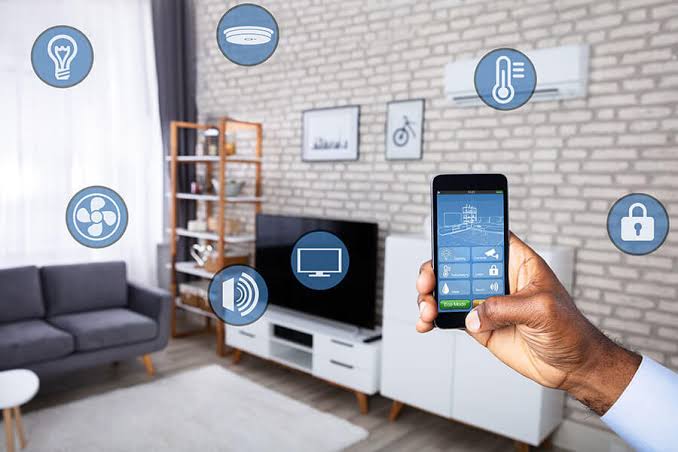
Turning your home into a smart home is easier than you might think.
With just a few basic steps and some user-friendly devices, you can enjoy the convenience and efficiency of a smart home.
Step 1: Choose Your Smart Assistant:
The first thing you need is a smart assistant, like Amazon Alexa or Google Assistant.
These are like the brains of your smart home. You can talk to them and ask them to do things for you, like turning on the lights or playing music.
Pick the one you like, and follow the setup instructions that come with it.
Step 2: Smart Lights:
Smart lights are a great way to start your smart home journey.
You can control them with your smart assistant or a smartphone app.
Just replace your regular bulbs with smart ones, and you can turn them on or off, dim them, or change their colors with a voice command or a tap on your phone.
Step 3: Smart Plugs:
Smart plugs are like magic. They turn any regular device into a smart one. Just plug them into an outlet, and then plug your coffee maker, fan, or any other appliance into the smart plug. Now, you can turn them on or off from your phone, even when you’re not at home.
Step 4: Smart Thermostat:
A smart thermostat assists in conserving both energy and your finances. It can learn your preferences and adjust your home’s temperature accordingly.
You can control it from your phone or ask your smart assistant to change the temperature for you.
Step 5: Security Cameras:
To keep your home safe, you can install smart security cameras.
These cameras can send you alerts if they detect motion.
You can check on your home from your phone, no matter where you are. Make sure to place them in key spots around your house.
Step 6: Smart Locks:
Smart locks make it easy to enter your home without traditional keys.
You can unlock your door with your phone or even a voice command. You can also give temporary access to family or friends.
Step 7: Smart Speakers and Smart Displays:
To make your home even smarter, you can add smart speakers and displays.
They can play music, answer questions, and even show you videos or recipes. Connect them to your smart assistant to control your entire smart home.


