


Guide: How To Edit Sent Message on WhatsApp
Grammar mistakes are common in conversations, especially when you are on the go. This happens very often when using your social media, especially WhatsApp.
To address this concern, Meta, the parent company of WhatsApp has introduced the feature to edit already sent WhatsApp messages.
If you accidentally send your friend or loved ones a wrong timing for the movie, a wrong phone number or a different message entirely, below is step by step details on how to edit already sent WhatsApp messages.
Interestingly, this can be done irrespective of the type of phone you use, be it iPhone, Samsung, itel, Infinix or Tecno.
Step 1: Update your WhatsApp Application to the latest version. You can do so by going to Apple or Play Store
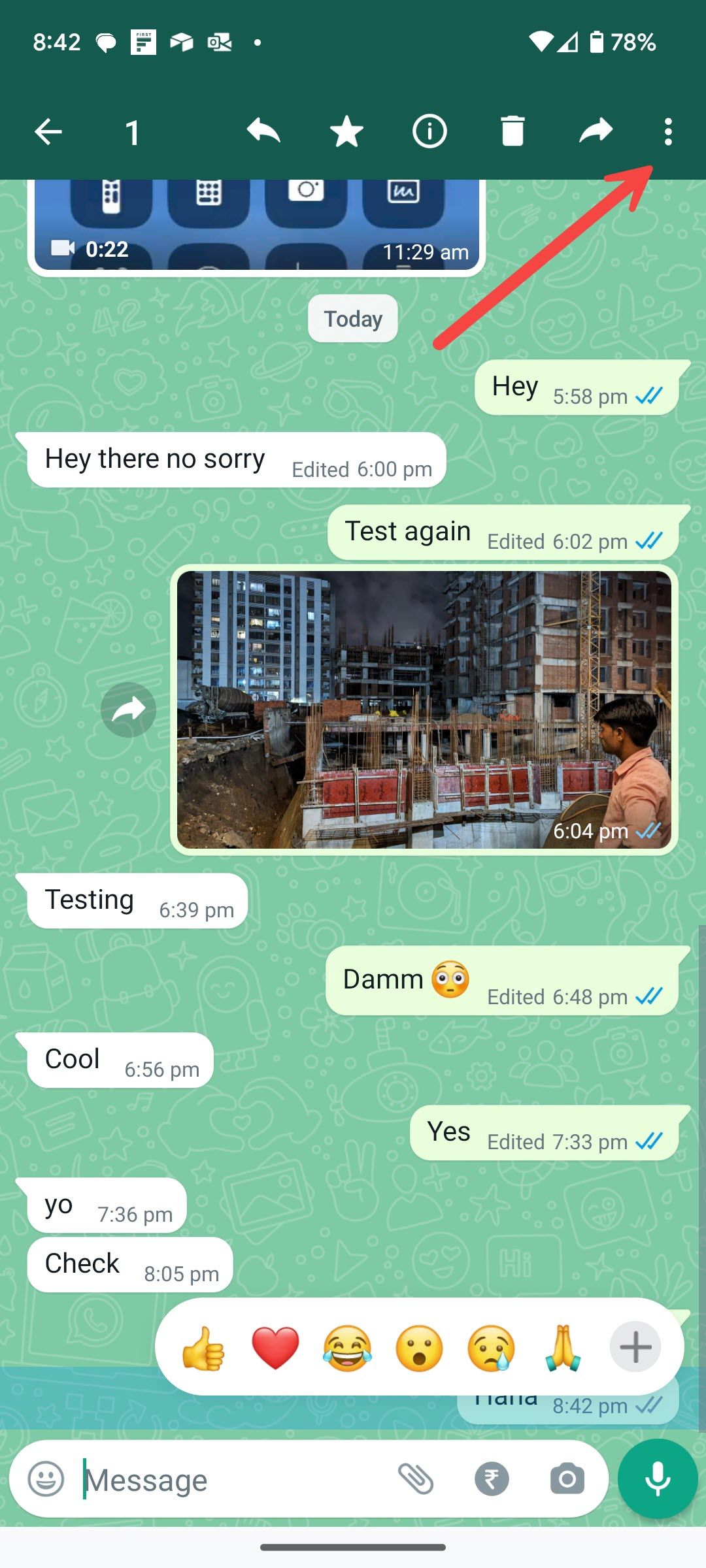
Step 2: Long-tap on a message you want to edit and choose ‘Edit’ from the menu.
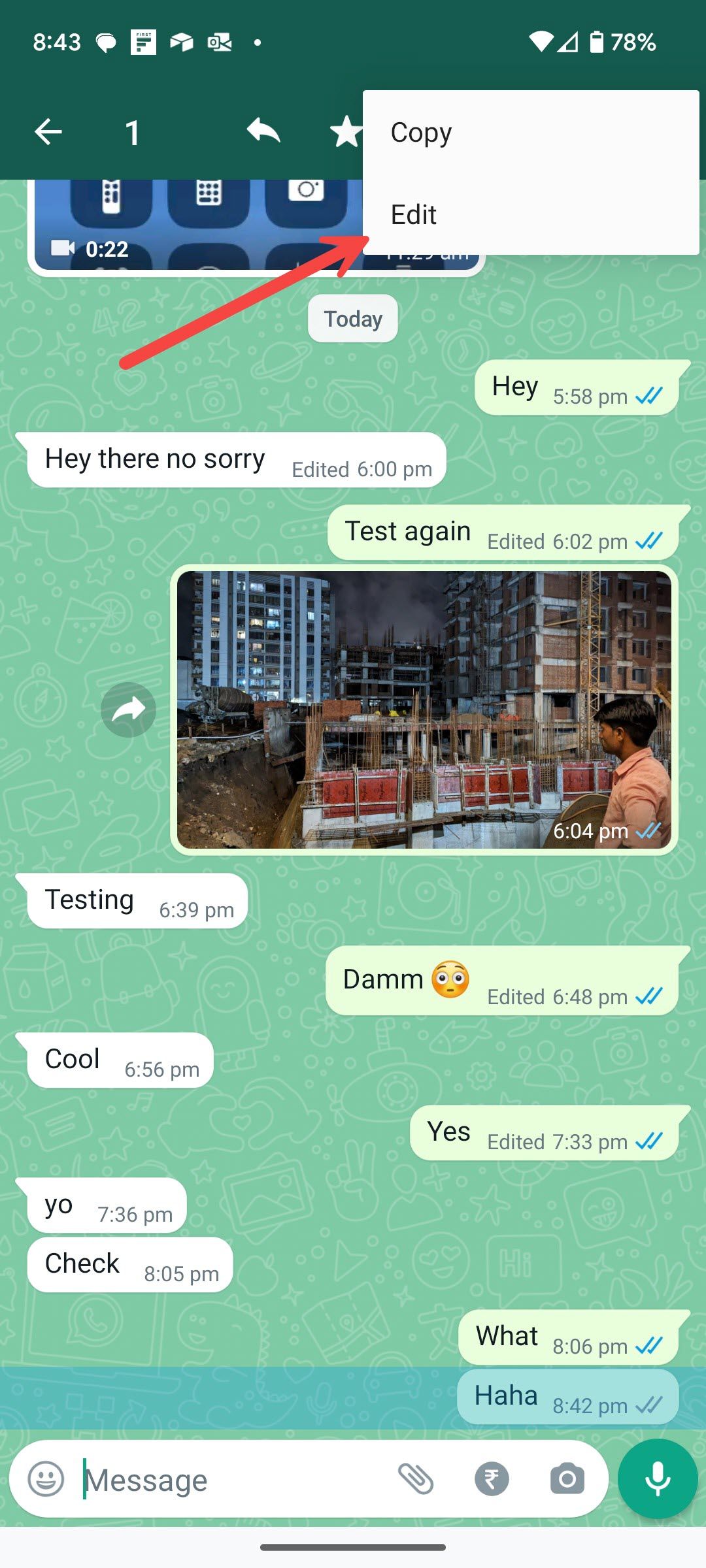
Step 3: Fix the error or type a new message entirely and then tap the checkmark beside it.
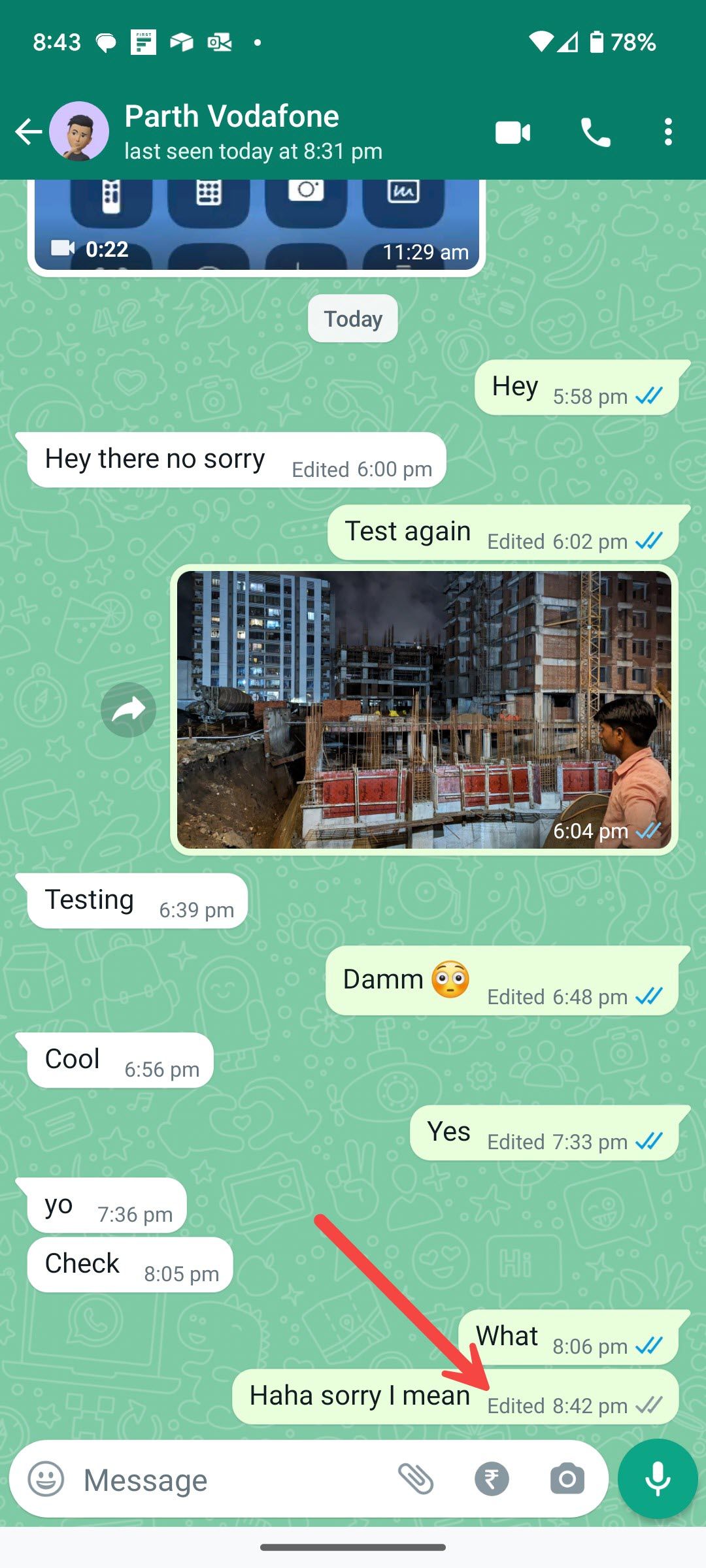
Note: You can only edit the message within 15 minutes of sending the message. The Edit option disappears after that.
Edited messages will display ‘edited’ alongside them, so those you’re messaging are aware of the correction without showing edit history.


